

If you run a plumbing company, a physiotherapy clinic, an accounting firm or a mobile pet-grooming service, your Google Business Profile is one of the first things a local customer sees. To optimize it, you claim the correct profile, pick the most specific primary category, remove or hide your address if you do not serve customers there, set real service areas, add accurate services, hours, photos and a booking link, then earn and reply to genuine reviews. Everything below follows Google's guidelines for representing your business.
This is a do-it-yourself checklist. No fluff, no guarantees, just the steps that match Google's current rules.
Who this article is for (and who it is not)
This guide is written for owners and managers of Canadian local businesses with 1 to 50 staff who travel to customers or deliver a service rather than running a walk-in storefront. Think home services, health and wellness practices, professional services, and personal care and fitness businesses in places like Ottawa, Toronto, Vancouver, Calgary and Edmonton.
This is for you if:
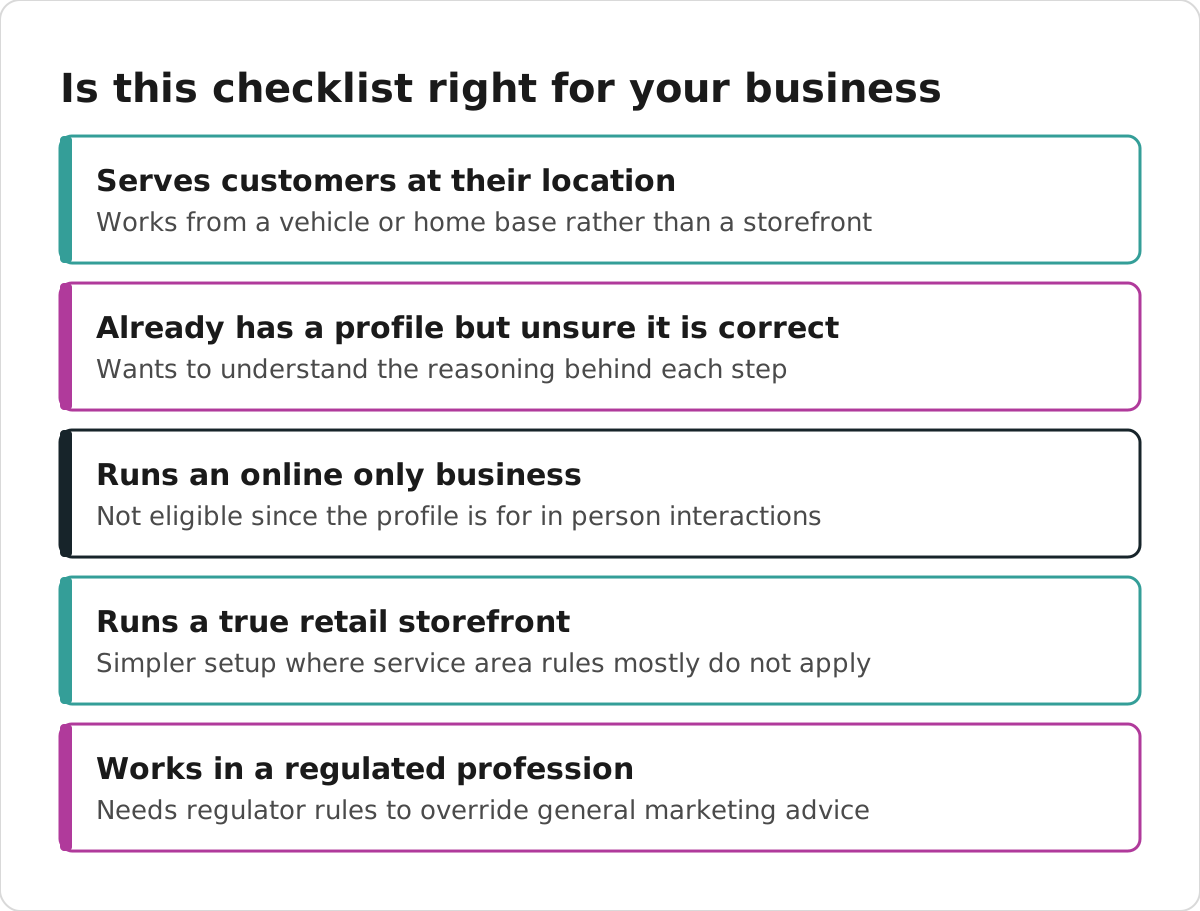
- You serve customers at their location, or you work from home or a vehicle.
- You already have a profile but are not sure it is set up correctly.
- You want to do the work yourself and understand the reasoning behind each step.
This is probably not for you if:
- You run an online-only business. Google Business Profile is for businesses that interact with customers in person, so online-only businesses are not eligible.
- You have a true retail storefront where every customer comes to you. Your setup is simpler and some service-area rules below will not apply.
If you are in a regulated profession (a health practice, law firm, accounting firm, real estate brokerage, financial advisory, or mortgage or insurance brokerage), your College or regulator sets advertising rules that override general marketing advice. We flag those spots as we go, but your licensee should sign off on your profile copy, photos and review approach.
First, decide what you want the profile to do
Before you touch a single field, decide what action you actually want a visitor to take. A profile that tries to do everything usually does nothing well.
Pick one primary action:
- A phone call
- A quote or consultation request
- An online booking
- A website form
Then build the profile and the page you link to around that one action. A roofing company might aim for quote requests. A yoga studio might aim for class bookings. A bookkeeper might aim for a discovery call. The point is to choose on purpose, not by accident.
Google does not sell better local rankings. Its tips to improve your local ranking on Google say "Local results are mainly based on relevance, distance, and popularity." Google's guidance describes distance as being calculated from the searcher or the place named in their search, which means no words in your profile can move your business closer to someone. Anyone promising guaranteed top rankings is contradicting Google's own guidance.
Claim the right profile, do not create a duplicate
Before you create anything, search Google and Google Maps for your business name, any old names, your phone number and your address. If a profile already exists, claim that one. Creating a second profile splits your reviews and history and can confuse customers.
If you find duplicates that already exist, request a merge rather than deleting the older listing. The established profile usually holds your review history, so you want to keep it.
Ownership matters too. Make an email account that your business controls the primary owner. If you bring in staff or an outside team, give them manager access, not ownership. That way you keep control of the asset you are building.
Remove or hide your address if you do not serve customers there
This is the step most service-area businesses get wrong.

Google's guidance is clear: a service-area business visits or delivers to customers and does not serve them at its listed address. If you do not receive customers at your operating address, remove or hide that address and specify your service area instead. A home address can still be used privately for verification, but it should not appear on the public profile unless customers genuinely come to you there.
A few hard rules worth repeating:
- P.O. boxes and remote mailboxes are not acceptable business locations.
- A coworking or shared office only qualifies as a location if your business has clear signage, receives customers there and is staffed by your own people during stated hours.
- A pure service-area business generally works with one profile for the whole area it serves rather than one listing per city. Check Google's current guidance for how this applies to your situation.
So a mobile massage therapist working across Calgary should hide the home address and list service areas. A dentist with a clinic that patients visit keeps the address visible. A plumber who answers calls from a home office but does all the work on-site hides the address.
Setting service areas
Google lets service-area and hybrid businesses specify service areas based on cities, postal codes or other areas served, up to a limit Google sets in its current guidance. Choose the areas your team can actually reach and serve profitably. Do not add every town in a metro just to look bigger.
One thing worth knowing: service areas are meant to describe your coverage to customers, and there is no reliable evidence that adjusting them acts as a ranking lever. If a city genuinely matters to your business, the better move is a useful page on your own website about serving that area, not a stuffed profile field.
Fill in the core fields the right way
Now the main profile. Work through these in order.
- Business name. Enter only your real-world name, the one on your signage, website and invoices. Do not add city names, service keywords, "best" or "24/7." Adding keywords that are not part of your genuine name breaks Google's rules.
- Primary category. Pick the single most specific category that describes your core business. Primary category is widely regarded as an important factor in how your profile is matched to searches, so this choice carries real weight. Use the fewest categories you can.
- Additional categories. You may add more, but only for substantial lines of business. Do not add a category for every small service.
- Phone. Use a local number your team answers directly.
- Website. Link to a fast, mobile-friendly page that clearly represents the same business and services. Use a full HTTPS address and make sure the page loads and can be crawled.
- Hours. Publish your real customer-facing or phone-answering hours. Add special hours for holidays and short closures.
- Description. Write a plain, factual summary of your services, your market and what makes you different. Skip the sales language.
Services, attributes and links
Add all the suggested services that apply, then add accurate custom services with short, honest descriptions. Group them logically. Google may highlight one of your listed services when it matches a local search, so specific and accurate wins over clever.
Then:
- Attributes: complete every relevant one. These are category-dependent, so a gym and a law firm will see different options. Check back now and then because available fields change.
- Booking link: add a direct booking or consultation URL where your category allows it.
- Social links: add the official accounts you actually maintain.
Photos and posts that reflect reality
Upload real photos: your logo, a cover image, your team, your equipment, your vehicles and examples of finished work. Where privacy applies, use images that do not identify people without consent. A physiotherapy clinic should not post a recognizable patient; a renovation company can show the finished kitchen.
Google supports owner and customer photos and videos on a profile. Keep images in focus, well lit and free of heavy filters or AI alteration.
On Google Posts: Google's current help pages confirm that a profile can contain photos, videos and posts, but the exact post types, character limits and media limits are not something we can verify from Google's current official pages. So treat posts as useful customer-facing updates, not as a confirmed ranking factor, and check the live composer for the current options before you build a schedule.
Get verified without surprises
In practice, Google tends to decide which verification methods it offers, so you may not be able to insist on phone, email or postcard. Treat the method you are given as the one to work with.

For a service-area business, prepare one continuous video that shows:
- your real operating area or location,
- your professional tools, products, workspace, branded vehicle or equipment, and
- proof you control the business, such as unlocking a work vehicle or showing a permit, invoice or utility bill that matches the profile name.
Keep your business registration, licence, tax documents and matching utility bills handy. Google accepts these when you need to appeal a verification or suspension. Make sure your profile name, address, website and documents all agree before you start.
Earn and reply to reviews the honest way
Reviews are part of what Google calls prominence, and they matter to customers reading before they call. Google confirms you can collect reviews, respond to them and share a Google review link.

A simple, compliant setup:
- On desktop, open Read reviews, then Get more reviews, to create your official review link and QR code.
- Ask every genuine customer, not only the happy ones. Do not screen out people who might leave a lower rating.
- Never offer discounts, gifts or anything of value in exchange for a review.
- Reply to reviews in short, individual, factual messages. Avoid defensive or promotional replies.
As we did for one of our clients recently, we set up a short review link on their own website, QR cards to hand out after a job and a ready-to-send thank-you email for finished projects.
A serious note for regulated professions
If you are a regulated health, legal, financial or real-estate professional, your College or regulator sets rules on advertising and testimonials, and they vary by profession and province. A customer leaving a review on Google is one thing; your business soliciting, quoting or reposting that review as advertising can be treated very differently. We cannot state a Canada-wide rule here, so have your regulator's guidance confirmed by your licensee before you build any review strategy. Health professionals in particular should avoid confirming a reviewer is a patient or discussing any treatment in a public reply.
If you send review requests by email or text, Canada's anti-spam law may apply. In general a commercial electronic message can require consent, sender contact information and a working unsubscribe option, so confirm how CASL applies to your messages before you send them.
Keep the profile alive
Optimizing once and walking away is a common mistake. A short routine does more than a big one-time push.
Common mistakes to avoid:
- Stuffing the business name with keywords.
- Leaving a home address visible when you do not serve customers there.
- Creating a separate profile for each city.
- Chasing every review from only your happiest customers.
- Linking to a slow page, or to a
business.siteaddress (those GBP-built sites were shut down in 2024).
A simple maintenance rhythm:
- Weekly: check for incorrect Google or user edits, new reviews and messages, and any duplicate or suspicious activity.
- Monthly: add current photos, update services and links, test your phone, form and booking paths, and compare results with the previous period.
- Before holidays: set special hours and remove expired offers.
- Quarterly: reassess categories, service areas, landing pages and who has access. Remove former staff and vendors.
Where profile optimization fits in the bigger picture
Your profile is one part of local SEO, not the whole of it. Google says prominence also draws on links, articles, directories and how your website ranks in ordinary results. That is why a strong profile works best alongside technically sound service and location pages and consistent business information everywhere. If you want the full picture of how Google chooses which businesses to show, we broke it down in our guide on how Google decides which local businesses to show, and you can see how we approach the broader work on our local SEO page.
A realistic note on timing: we plan on 6 to 12 months for meaningful SEO results, as a planning horizon and not a promise. Results depend on your market, your verified location, your category, your website and your competitors.
Your next step
Work through the checklist above in order. Claim the right profile, hide the address if you do not serve customers there, set honest service areas and categories, add real photos and services, verify, then build a steady review habit. For home services businesses in particular, our home services work shows how the profile ties into the rest of local search.
If you would rather have an owner-supervised team handle this and explain what was done each month, our Google Business Profile management service is built for that. Either way, the steps above are the same ones we follow, so you lose nothing by starting them yourself today.